Context
Section titled “Context”If you want to change the title of a subscription (e.g., to have your own naming convention on invoices), you can do so by modifying the subscription.
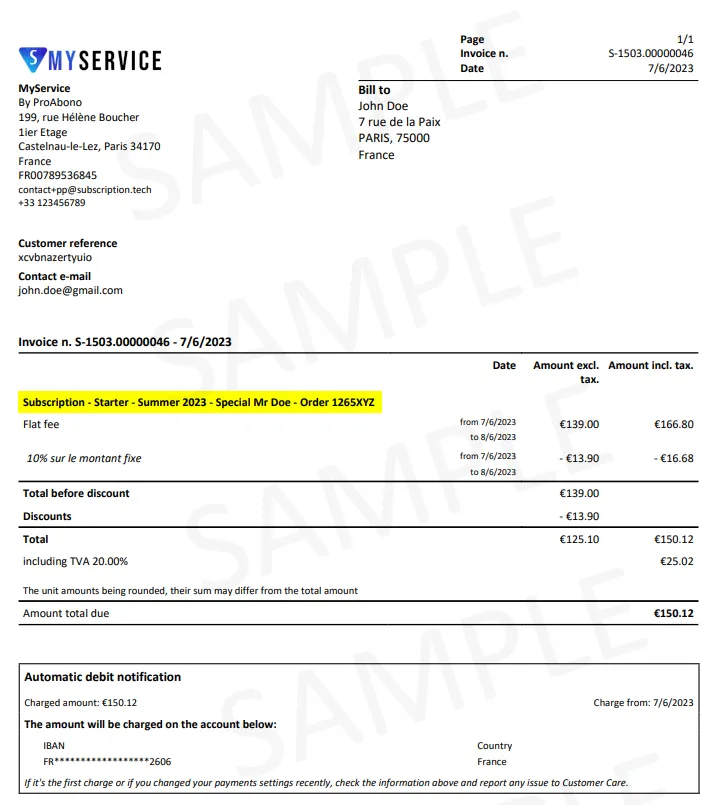
The subscription title is displayed on customer invoices.
Procedure
Section titled “Procedure”1. Choose a subscription
Section titled “1. Choose a subscription”- Click on “Subscribers” in the main menu.
- Select the relevant subscription (from the subscription tab on the customer’s details page).
2. Open the subscription modification page
Section titled “2. Open the subscription modification page”Once on the subscription details page:
- Open the “Actions” menu.
- Click on the “Update” button.
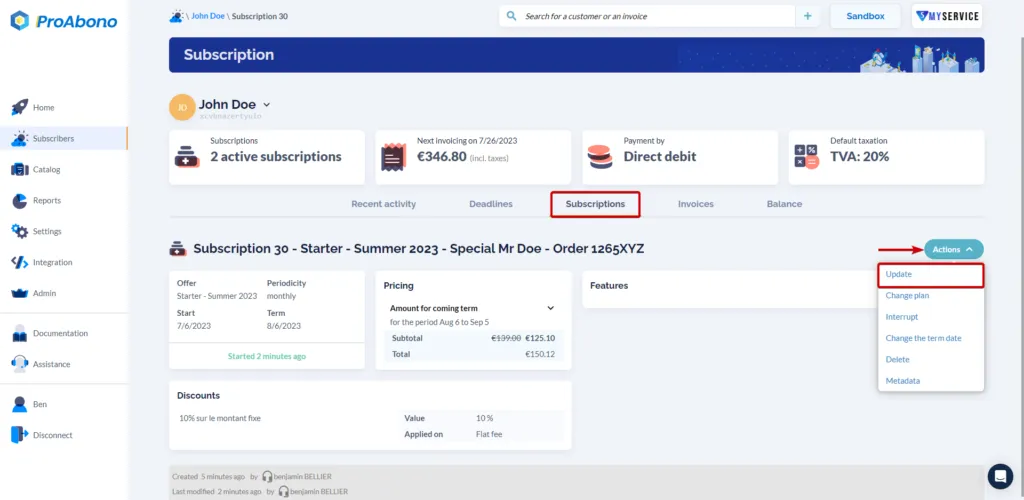
3. Fill in the “Subscription Title” field
Section titled “3. Fill in the “Subscription Title” field”Once on the subscription details page, modify the “Subscription display name” field located in the “General Information” section.
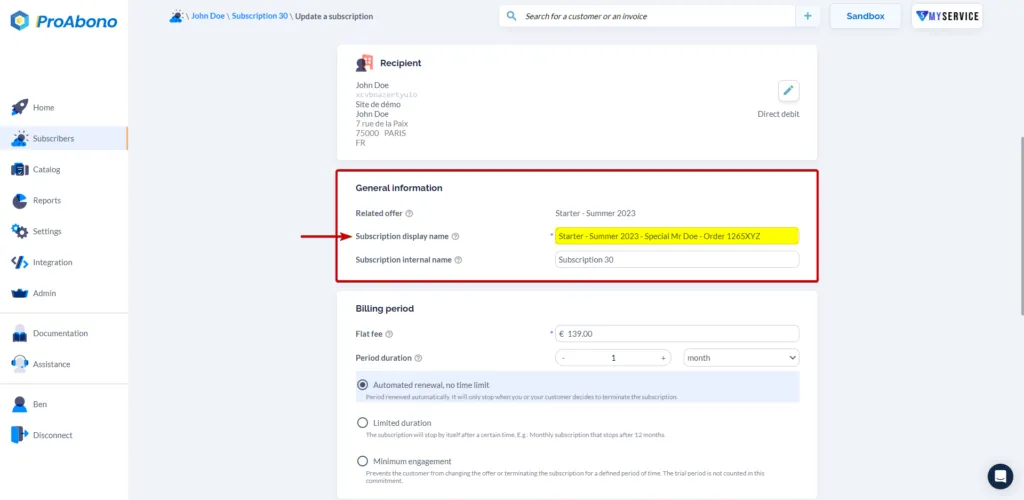
4. Validate to confirm your changes
Section titled “4. Validate to confirm your changes”- Click the “Save” button to apply your modifications.
If everything goes well, you should see the new title appearing on the subscription details page.