Context
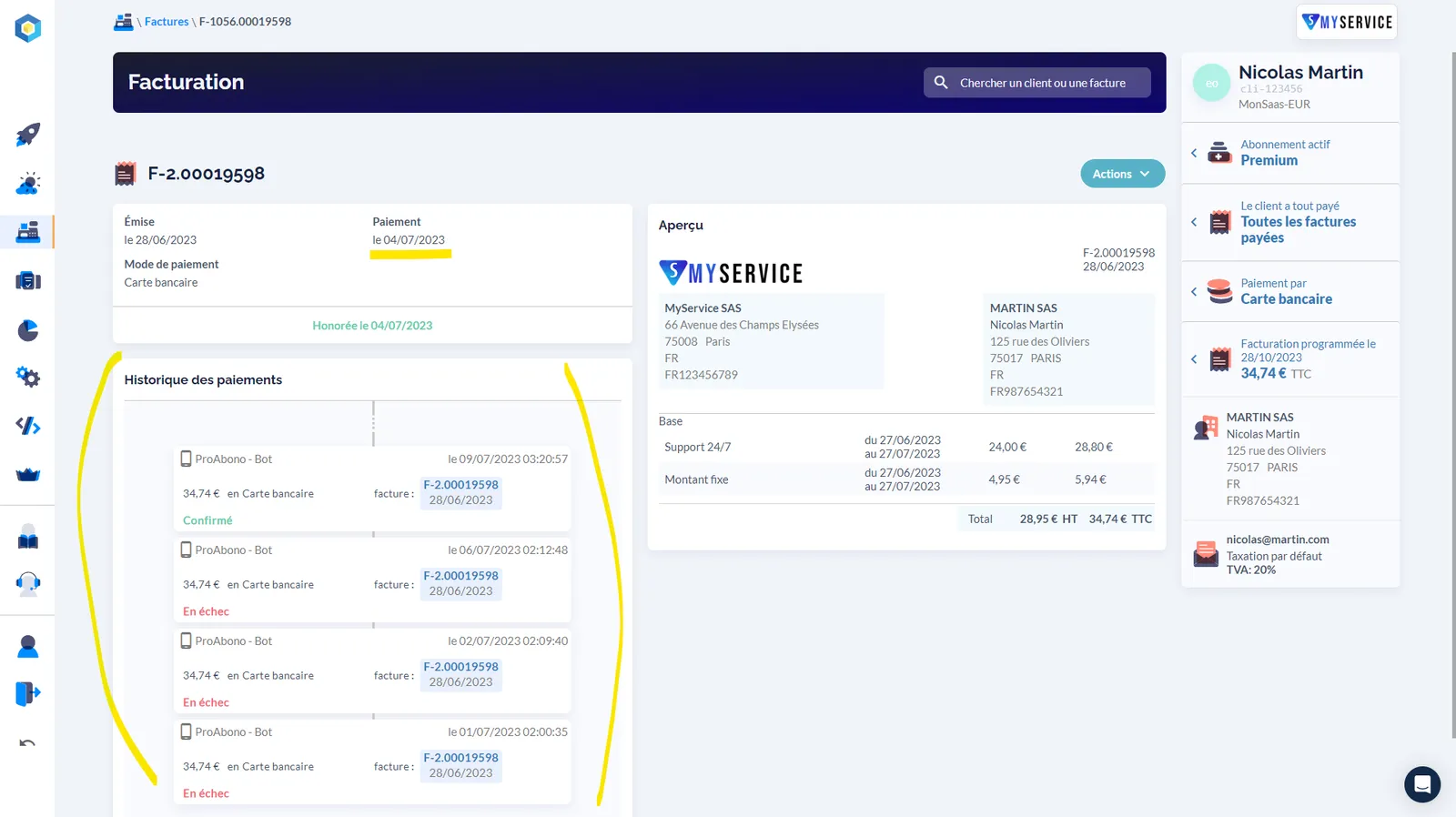
Section titled “Context”In most cases an invoice is settled by a single direct debit. But complex situations always arise, which is why ProAbono keeps the payment history of each invoice.
- Before an invoice reaches the Paid status, several debit attempts are sometimes necessary.
- When an invoice reaches the Problem status after an automated payment failure, seeing every debit attempt and every failure gives your team important information.
Procedure
Section titled “Procedure”- Go to the Invoices & Payments section.
- Search for and select an invoice.
The detailed invoice record gives you a complete view of the invoice and of the customer.