Context
Section titled “Context”The upgrade allows your customer to switch from their current subscription to another offer in your catalog.
In other words, this feature allows your customers to see all the variations in your catalog and be autonomous in the evolution of their usage of your service.
Customer workflow for upgrade at Renewal
Section titled “Customer workflow for upgrade at Renewal”Your customer logs into your application that integrates ProAbono’s customer portal and wants to proceed with an offer change. They currently have a subscription based on the “Premium” offer and want to switch to the “Business” offer.
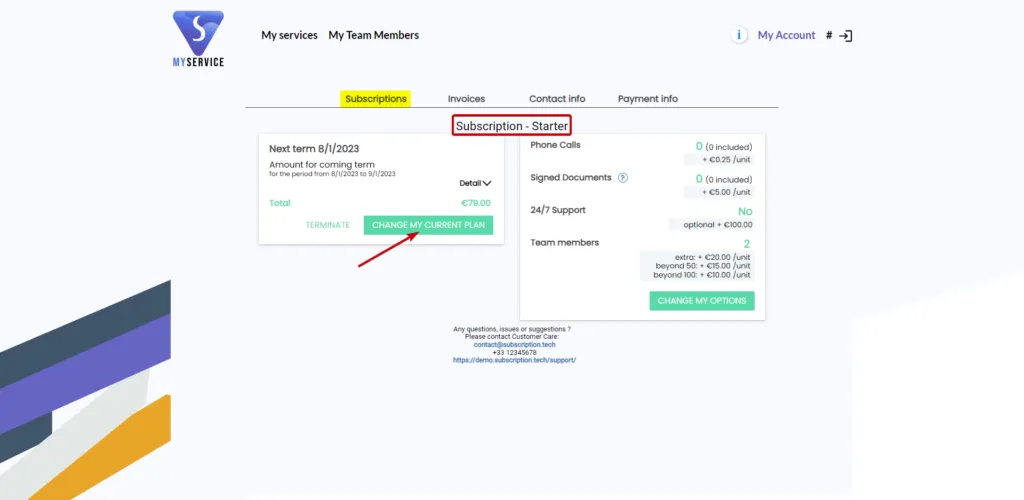
Once on the hosted customer portal page, in the subscription section:
- they click on the “change offer” button, which takes them to choose their new offer.
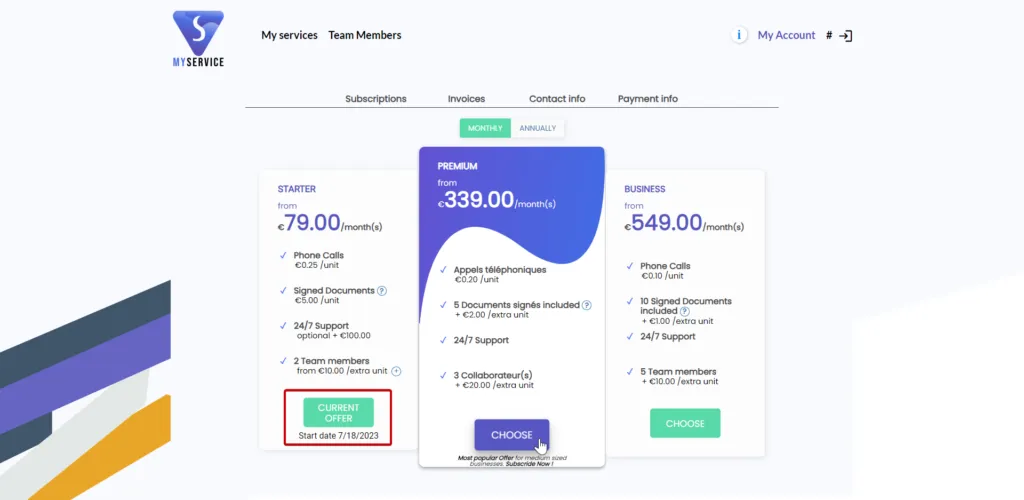
- they click on the “choose” button for the Business offer they are interested in.
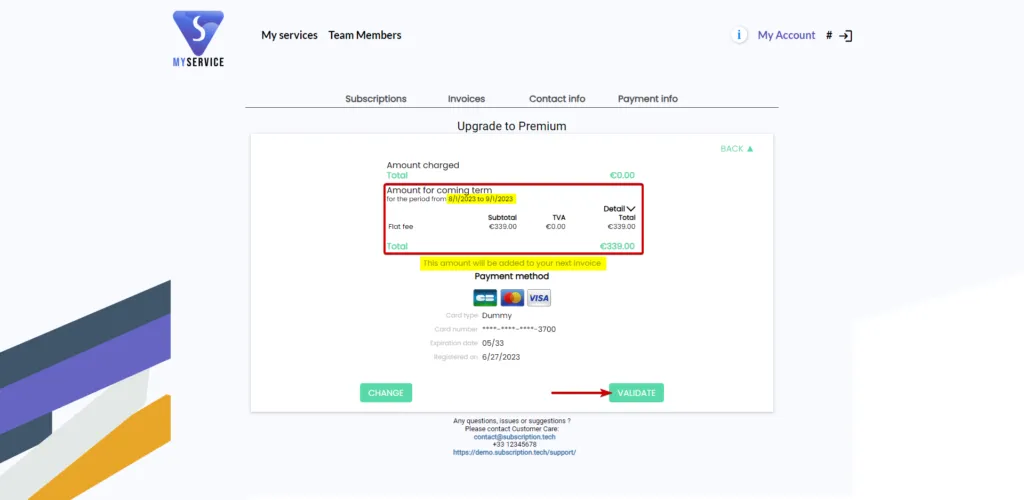
 Once the new offer is selected, they can configure the [features](/?p=12114) it contains (if allowed). It is stated that the change will take effect for the next period, from 09/18/2021 to 10/18/2021.
The customer proceeds with the offer change and confirms it once all the previous steps have been validated.
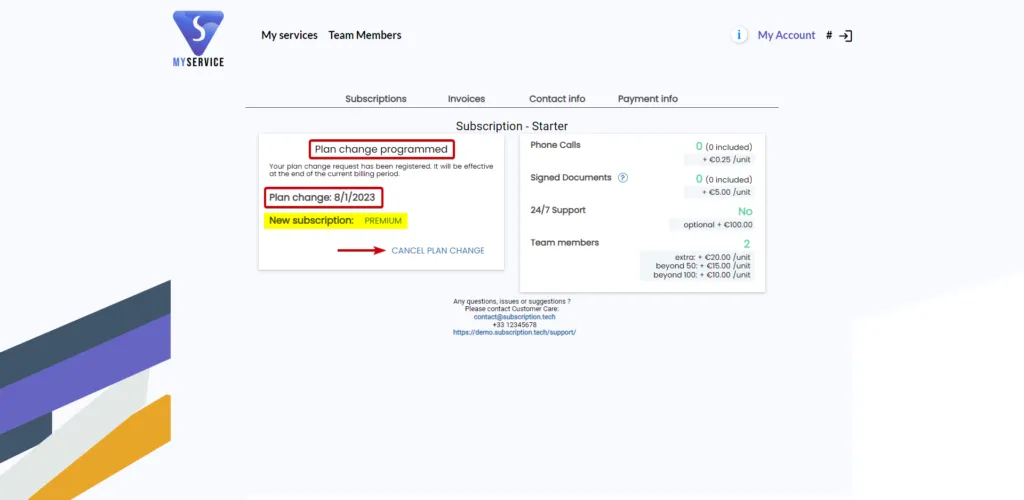
In the “Subscriptions” section, the customer sees that they still have their “Premium” subscription. It is clearly stated that the offer change is scheduled and will take place on 09/19/2021.
The new subscription will start based on the previously selected “Business” offer, and the customer has the option to cancel this offer change at any time.
Note: This feature is a segment setting. It is important to keep in mind that activating this feature will no longer allow customers to make an immediate offer change autonomously from their customer portal, whether they are existing or new customers.