Context
Section titled “Context”If you want to know more about the features.
Procedure
Section titled “Procedure”1. Go to the dedicated section
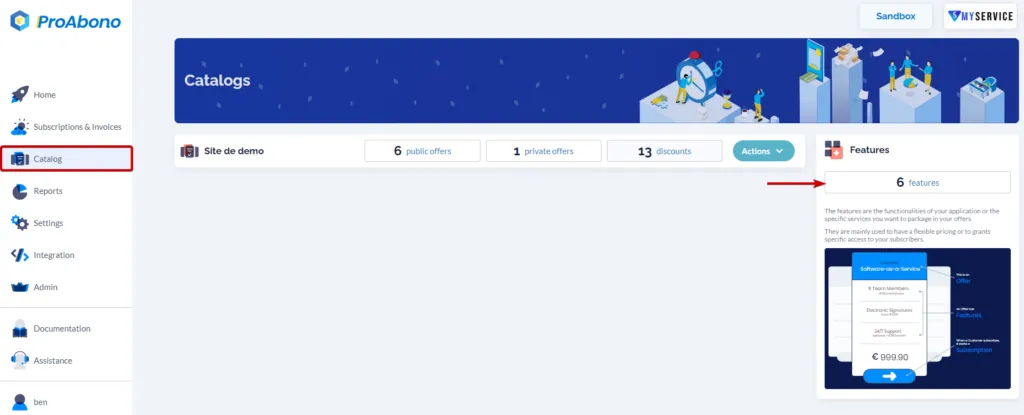
Section titled “1. Go to the dedicated section”- Click on the “Catalog” button from the main menu.
- Click on the “Features” button
2. Open the creation form
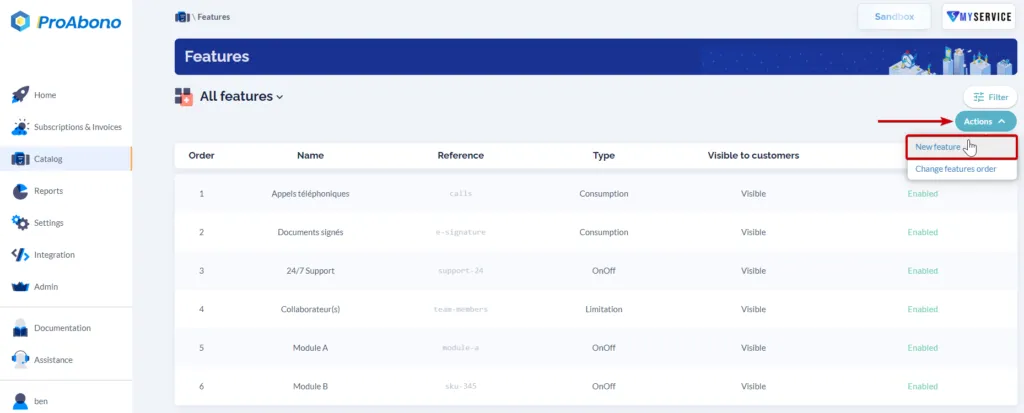
Section titled “2. Open the creation form”Once on the page listing all your characteristics:
- Open the “Actions” menu
- Click on the “New Feature” button
3. Fill in the form
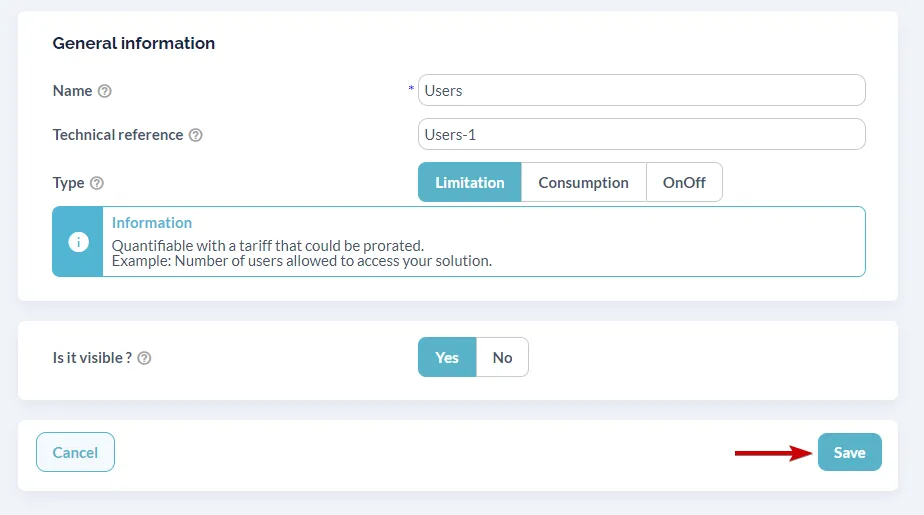
Section titled “3. Fill in the form”Fill in the information about your feature:
- The name and technical reference.
- The type of feature.
- The visibility
4. Validate
Section titled “4. Validate”All that remains is to click on “Save” to finalize the creation.
If everything went well, the new feature will appear in the page listing your characteristics.