Context
Section titled “Context”Sometimes, an invoice may be subject to dispute. Whether it is initiated by a customer or due to a bank decision, the associated payment may fail.
ProAbono is able to detect most cases (reported by the payment gateways), but in cases where the dispute could not be automatically detected, you have the option to manually register a dispute.
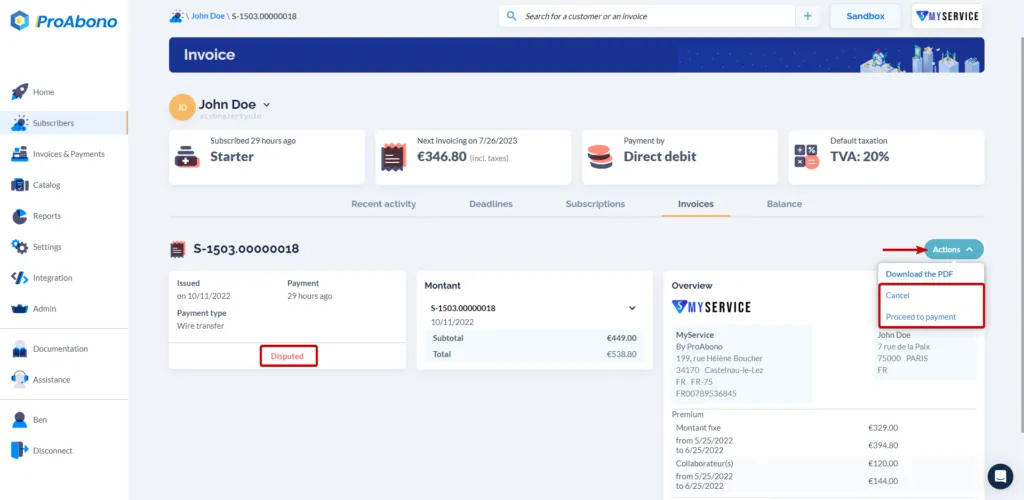
In any case, when a dispute is registered, the invoice is marked as ‘Disputed’. Once in a disputed state, it is your responsibility to take the necessary steps to resolve the situation.
To exit the ‘Disputed’ state, you can manually trigger a payment. If no solution is found, you must cancel the invoice.
Procedure
Section titled “Procedure”1. Select the relevant invoice
Section titled “1. Select the relevant invoice”- Click on “Subscribers” from the left menu.
- Select the desired invoice.
2. Open the dispute form
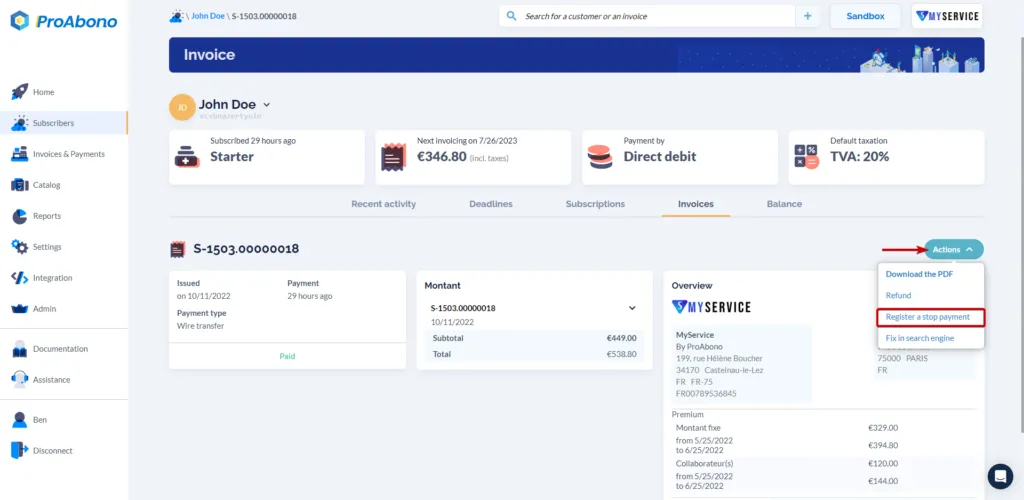
Section titled “2. Open the dispute form”- Open the “Actions” menu.
- Click on “Register a dispute”.
3. Confirm the dispute
Section titled “3. Confirm the dispute”- Click on “Register a dispute” to finalize the dispute.
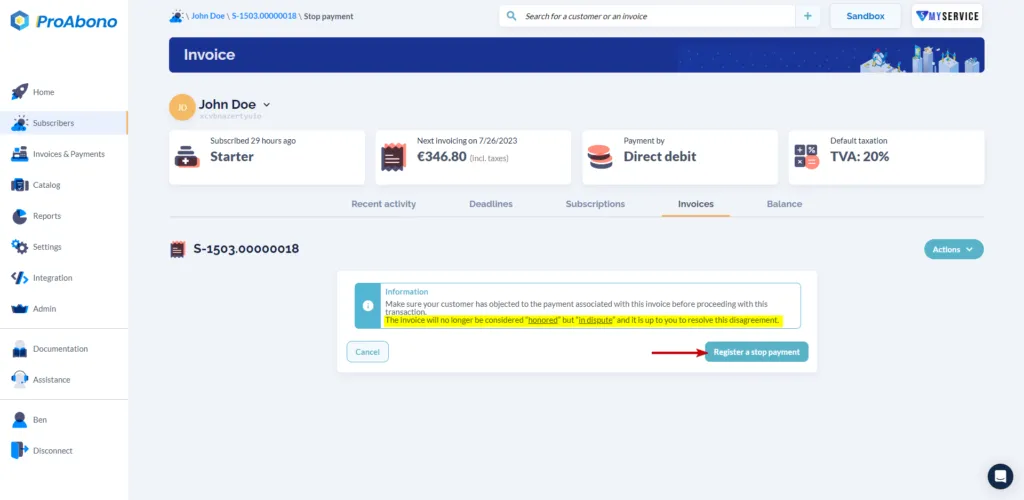 If everything went well, the [invoice](/?p=12185) will transition from the _"Honored"_ state to the _"Disputed"_ state.