

Modify a customer email template
Context
Section titled “Context”Each type of emails has its own template.
The text of the emails and the html template can be modified.
Procedure
Section titled “Procedure”1. Select what you want to modify: content (text) or template (graphic model)
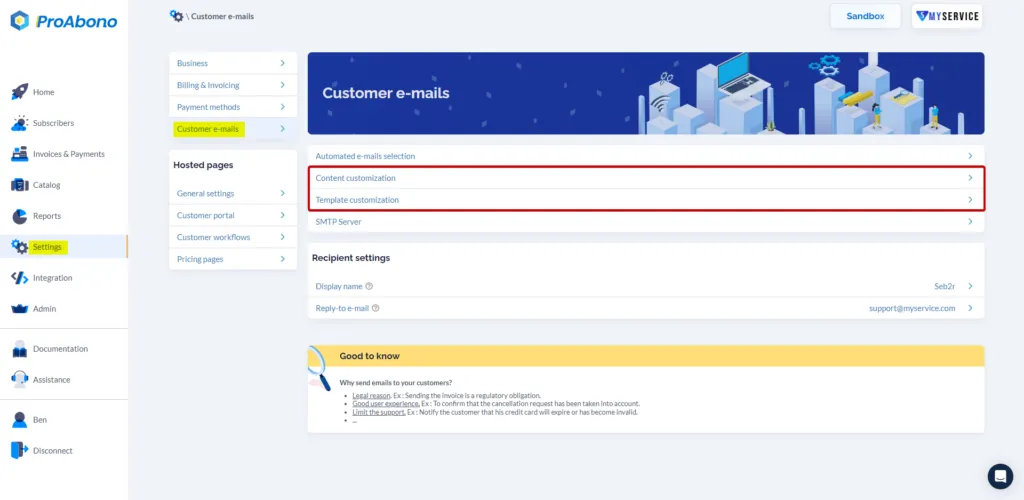
Section titled “1. Select what you want to modify: content (text) or template (graphic model)”From the backoffice, Menu “Settings”, Submenu “Automatic e-mails”, click on “Content Customization” or “Template Customization”.
2. Modify the selected item
Section titled “2. Modify the selected item”Depending on the choice made in the previous step, follow one of the two sections below.
2.1 Modify the content (text)
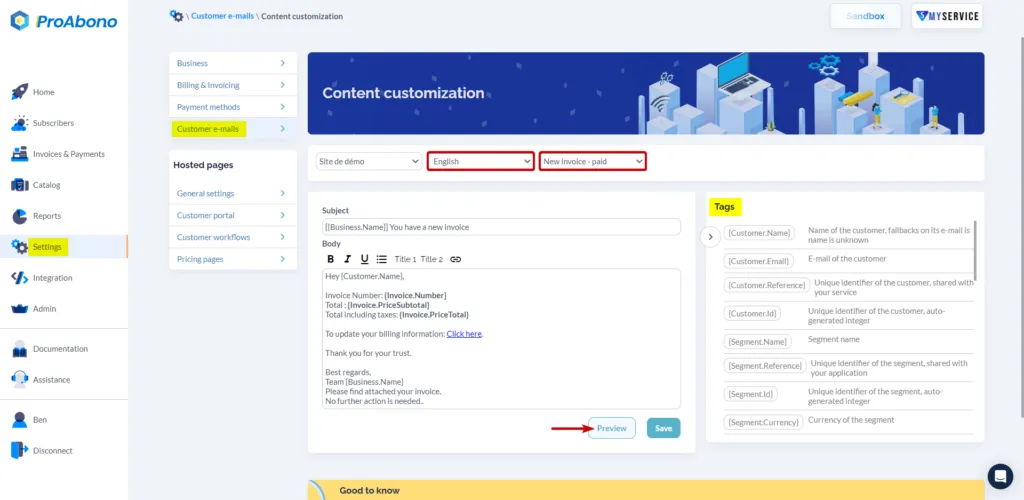
Section titled “2.1 Modify the content (text)”ProAbono can insert tags (e.g. Customer name, invoice amount, links to the customer portal) in your emails for a better customization.
In the overview, ProAbono inserts automatically the logo you have provided.
A preview is available to validate your changes.
2.2 Modify the template (graphic model)
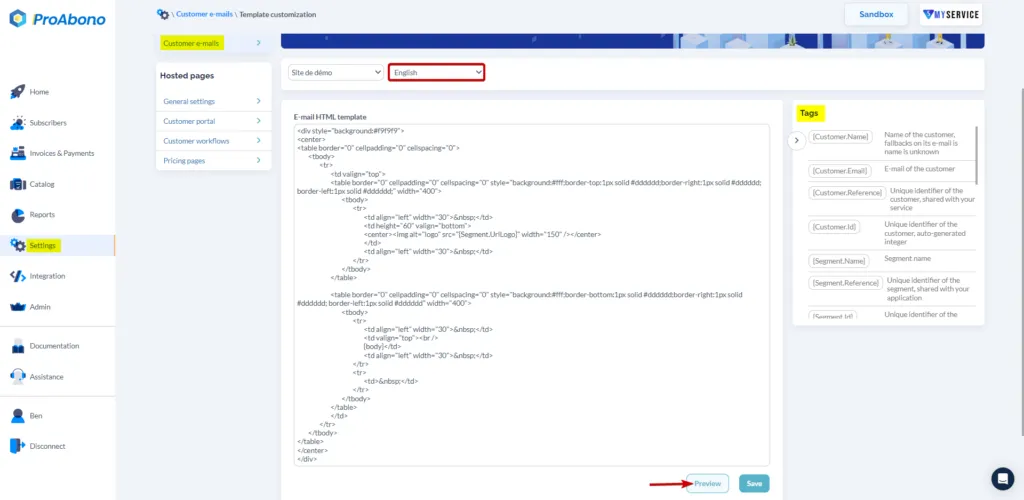
Section titled “2.2 Modify the template (graphic model)”A preview is available to validate your changes.
 settings, customer, emails, customization