Context
Section titled “Context”A Webhook is a notification system, also known as a “callback function”, that sends a request to a third-party application when an event occurs.
If you want to update the list of events associated with this webhook.
Procedure
Section titled “Procedure”1. Select the webhook to edit
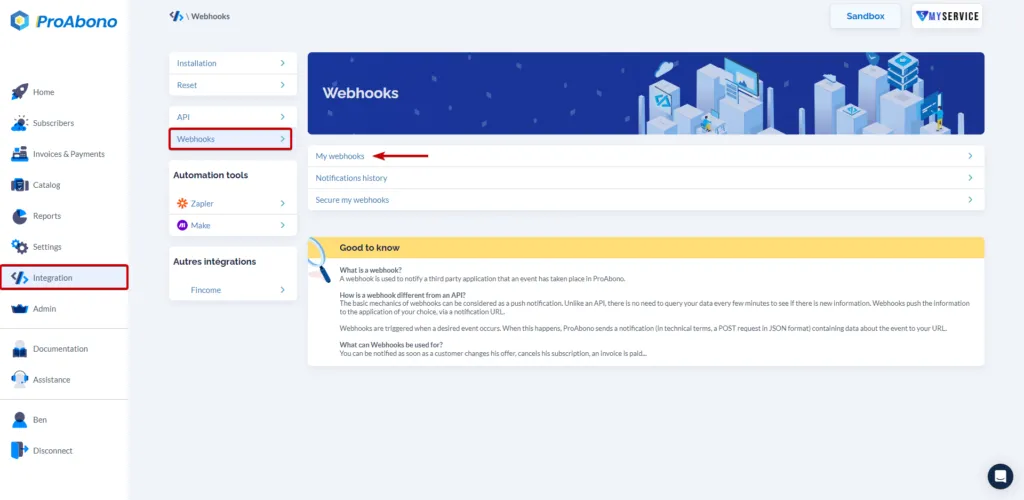
Section titled “1. Select the webhook to edit”- Click on “Integration” from the left menu.
- Then click on “My Webhooks”.
- And click on the line corresponding to the desired Webhook.
2. Access the page of events linked to the webhook
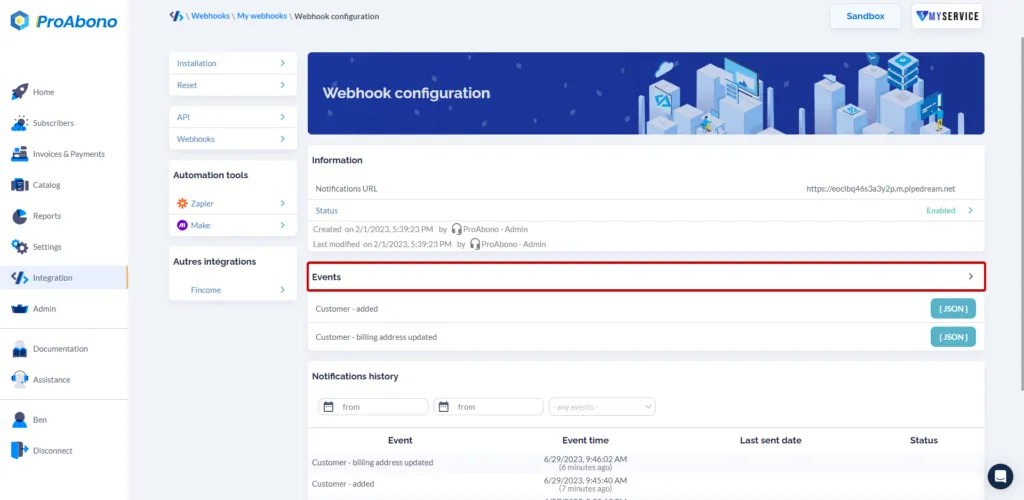
Section titled “2. Access the page of events linked to the webhook”- Click on the line showing the list of associated events (“Events”).
3. Update the events associated with the webhook
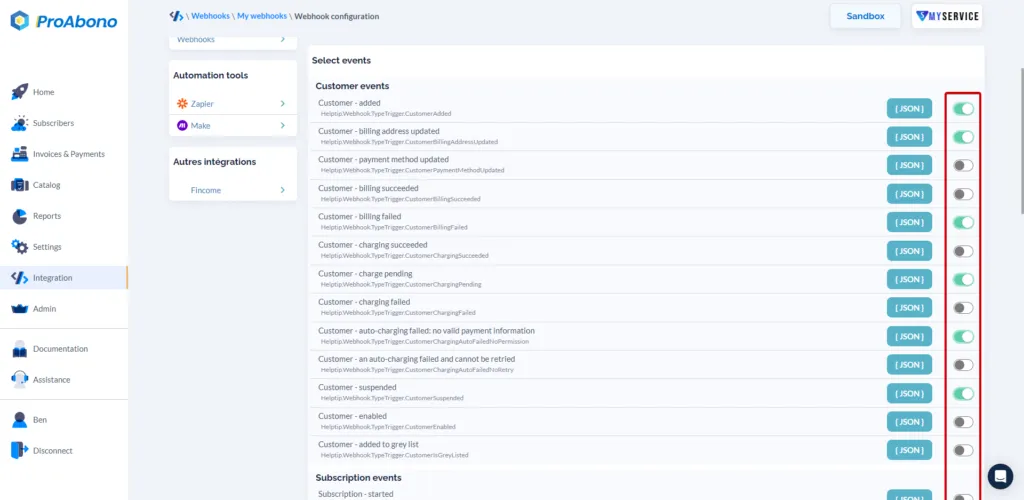
Section titled “3. Update the events associated with the webhook”- Click on the On/Off buttons to enable events (green) or disable them (gray) to receive the associated notifications to the defined URL.
4. Save your changes on the webhook
Section titled “4. Save your changes on the webhook”- Click on the “Save” button to finalize your modifications, deletions, and/or additions of events.