Context
Section titled “Context”Procedure
Section titled “Procedure”1. Select the webhook to edit
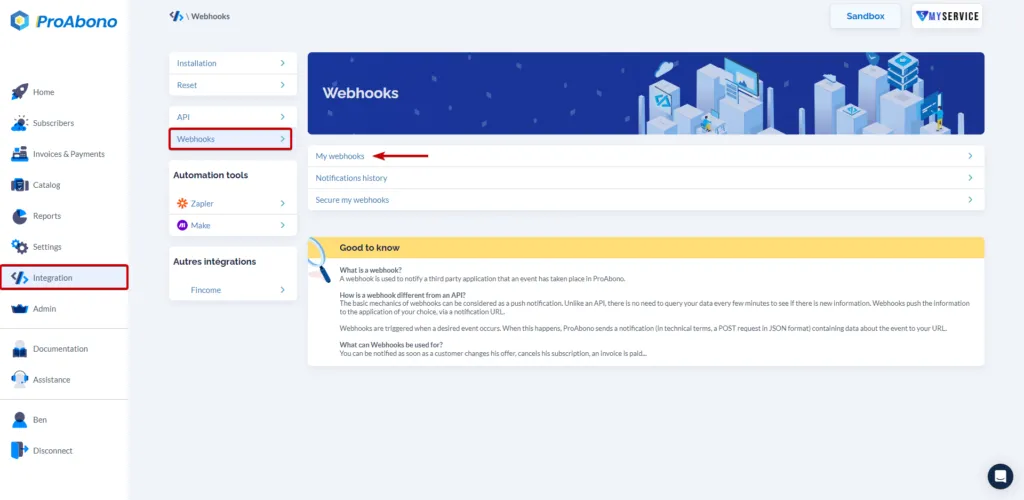
Section titled “1. Select the webhook to edit”- Click on “Integration” from the left menu.
- Then click on “Webhooks Configuration”.
- And click on the line corresponding to the desired Webhook.
2. Access the status change page
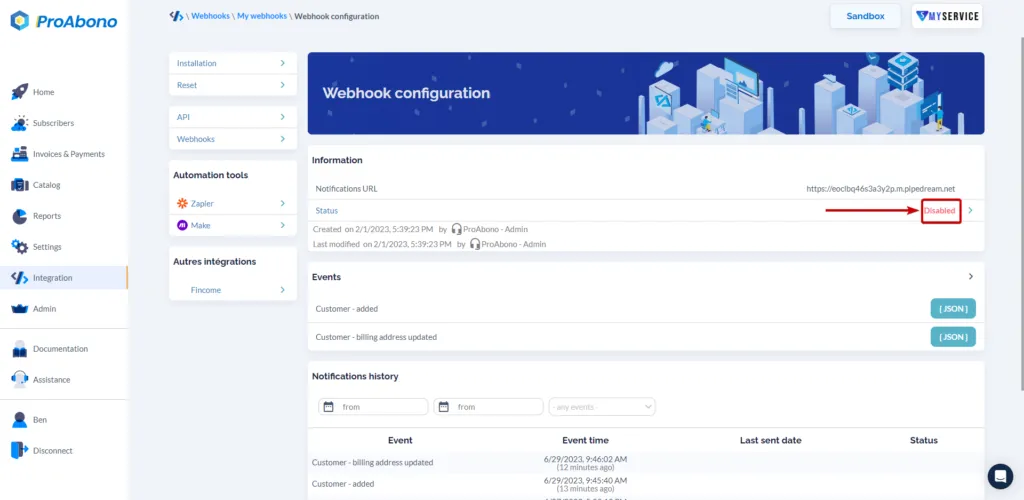
Section titled “2. Access the status change page”Click on the line showing the status (“Disabled”) to access the status change page of your Webhook.
3. Reactivate the webhook
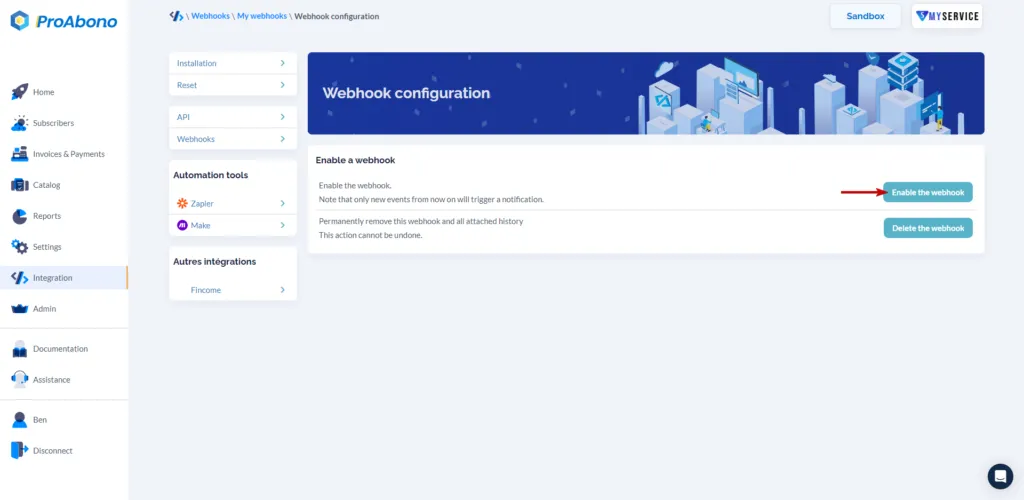
Section titled “3. Reactivate the webhook”- Click on the “Activate webhook” button to reactivate the notifications sent to the defined URL.