Context
Section titled “Context”Procedure
Section titled “Procedure”1. Select the Webhook to edit
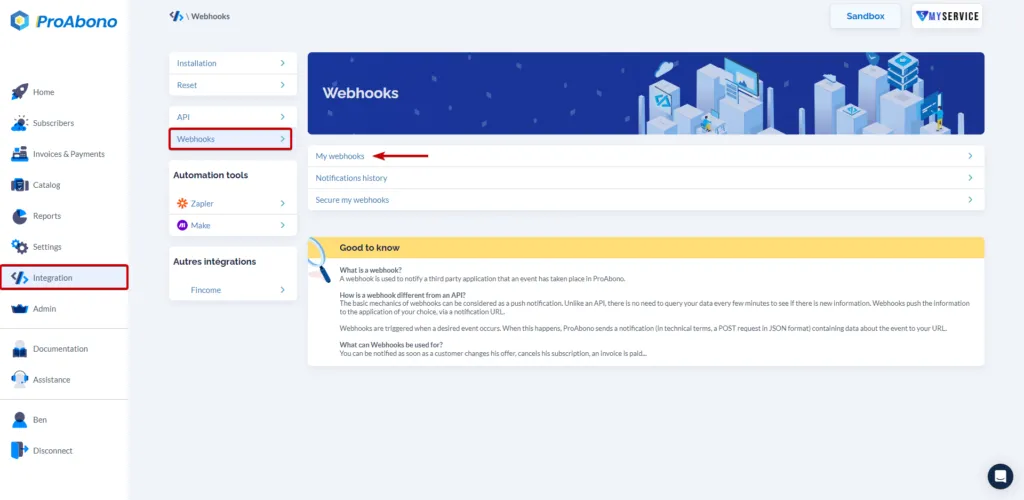
Section titled “1. Select the Webhook to edit”- Click on “Integration” in the left menu.
- Then click on “Webhook configuration”.
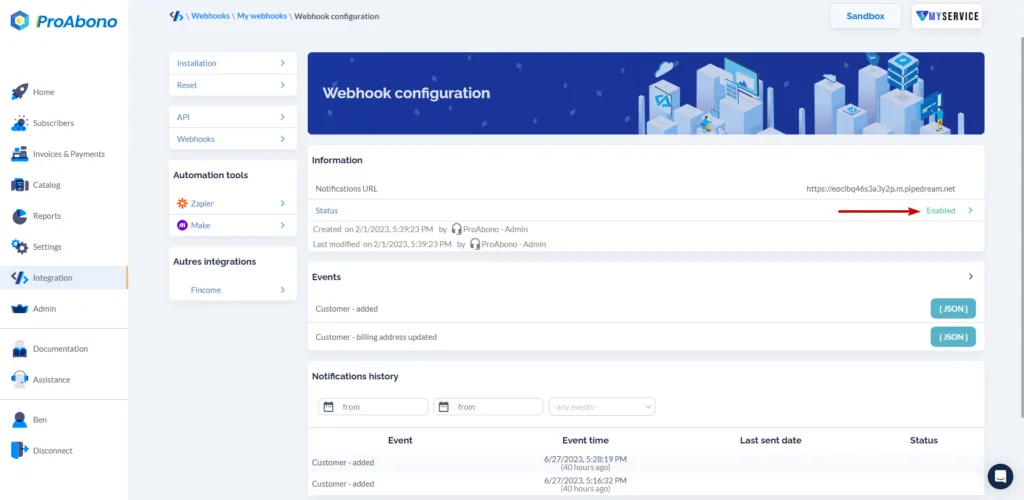
- Then click on the line corresponding to the desired Webhook.
2. Access the status change page
Section titled “2. Access the status change page”Click on the line displaying the status (“Active”) to access the status change page of your Webhook.
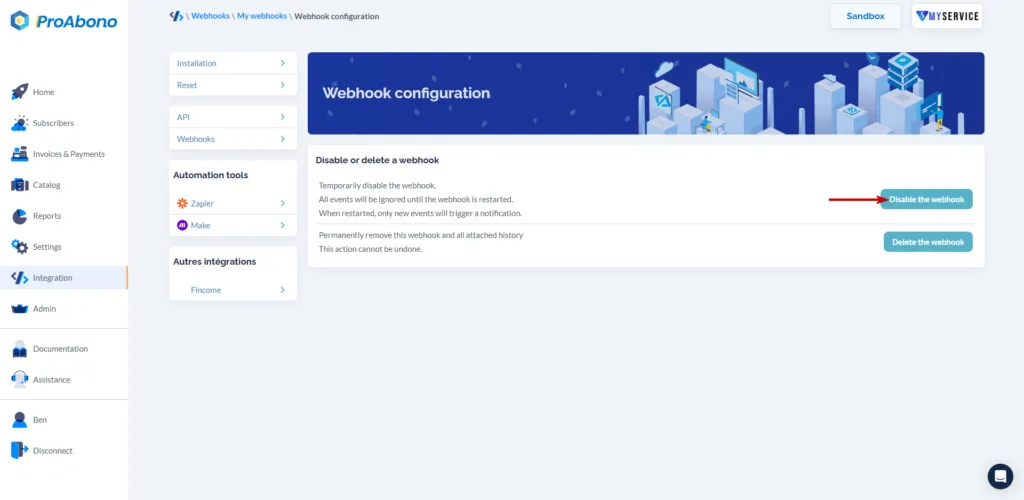
3. Disable the webhook
Section titled “3. Disable the webhook”- Click on the “Disable webhook” button if you want to pause it and simply stop the notifications sent to the defined URL.